 ClipNest
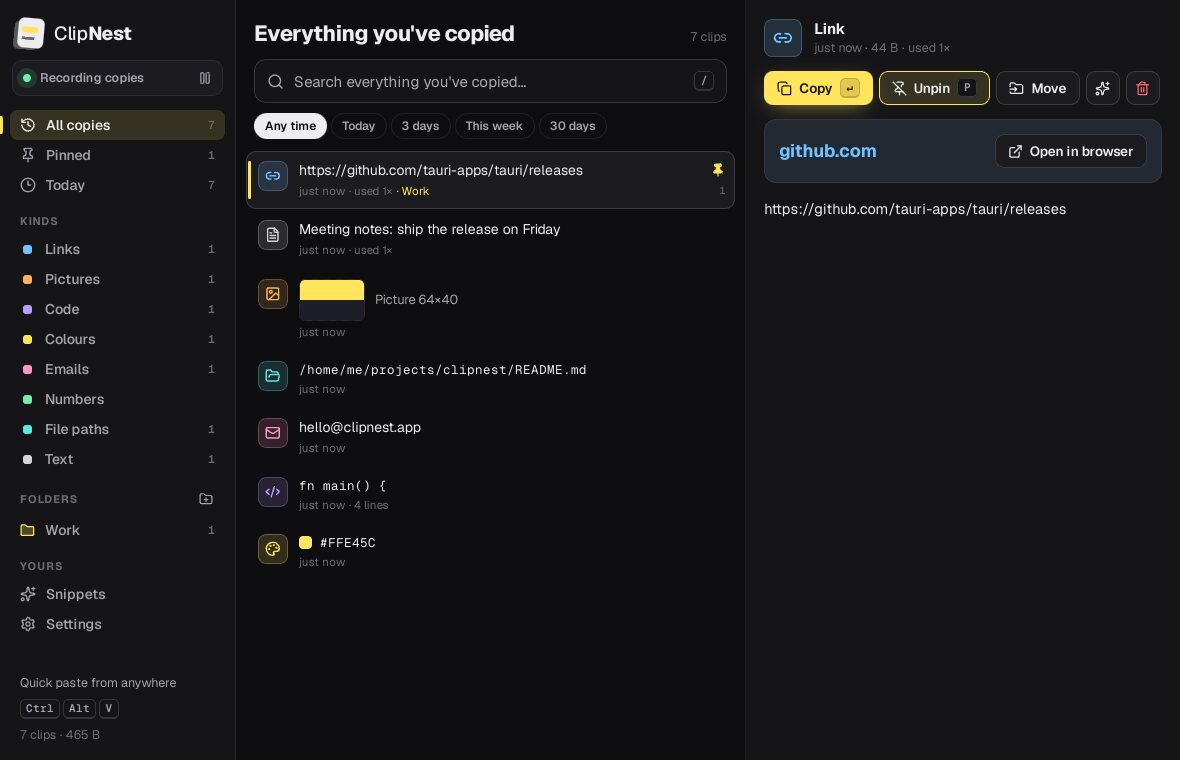
Search everything you copied
Full-text search across your whole history with highlighted matches, and filters for today, 3 days, this week or 30 days. That thing you copied last Tuesday is three letters away.
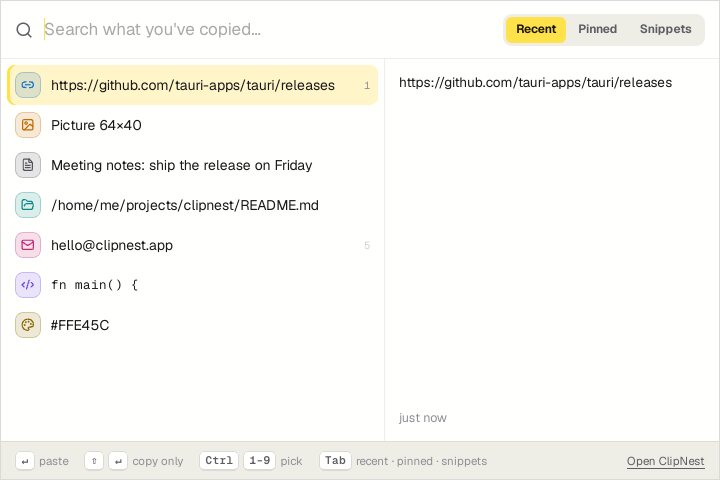
ClipNest sits in your tray and remembers every piece of text and every picture you copy. Press three keys anywhere, type a few letters, and it's pasted back.
Windows 10 & 11, 64-bit · Free · Not code-signed yet (here's how to install ↓)
A fast clipboard manager for Windows. Clipboard history, search, snippets, folders, pins, images, quick paste with Ctrl+Alt+V and optional encryption.
Full-text search across your whole history with highlighted matches, and filters for today, 3 days, this week or 30 days. That thing you copied last Tuesday is three letters away.
Ctrl Alt V opens a little window over any app. Type, press Enter, and it's pasted where you were.
Save text you type again and again, with keywords and placeholders like {date} and {clipboard}.
Keep the clips that matter. Pinned clips and clips in folders are never cleaned up.
Every kind of clip gets its own preview: links, colours, code with line numbers, file paths, images.
Passwords, API keys and card numbers are spotted and skipped. Optional encryption for the rest.
ClipNest comes as a standard Windows installer. Here's the one extra click you'll need.
Everything you copy, found again. Free, v1.0.0, 2 MB.