Make the desktop
yours.

Wallora plays wallpapers the way a music app plays songs. Playlists on shuffle, schedules that follow the sun, a picture for every monitor, and live widgets sitting right on your desktop.

Windows 10 & 11, 64-bit · Free · Not code-signed yet (here's how to install ↓)

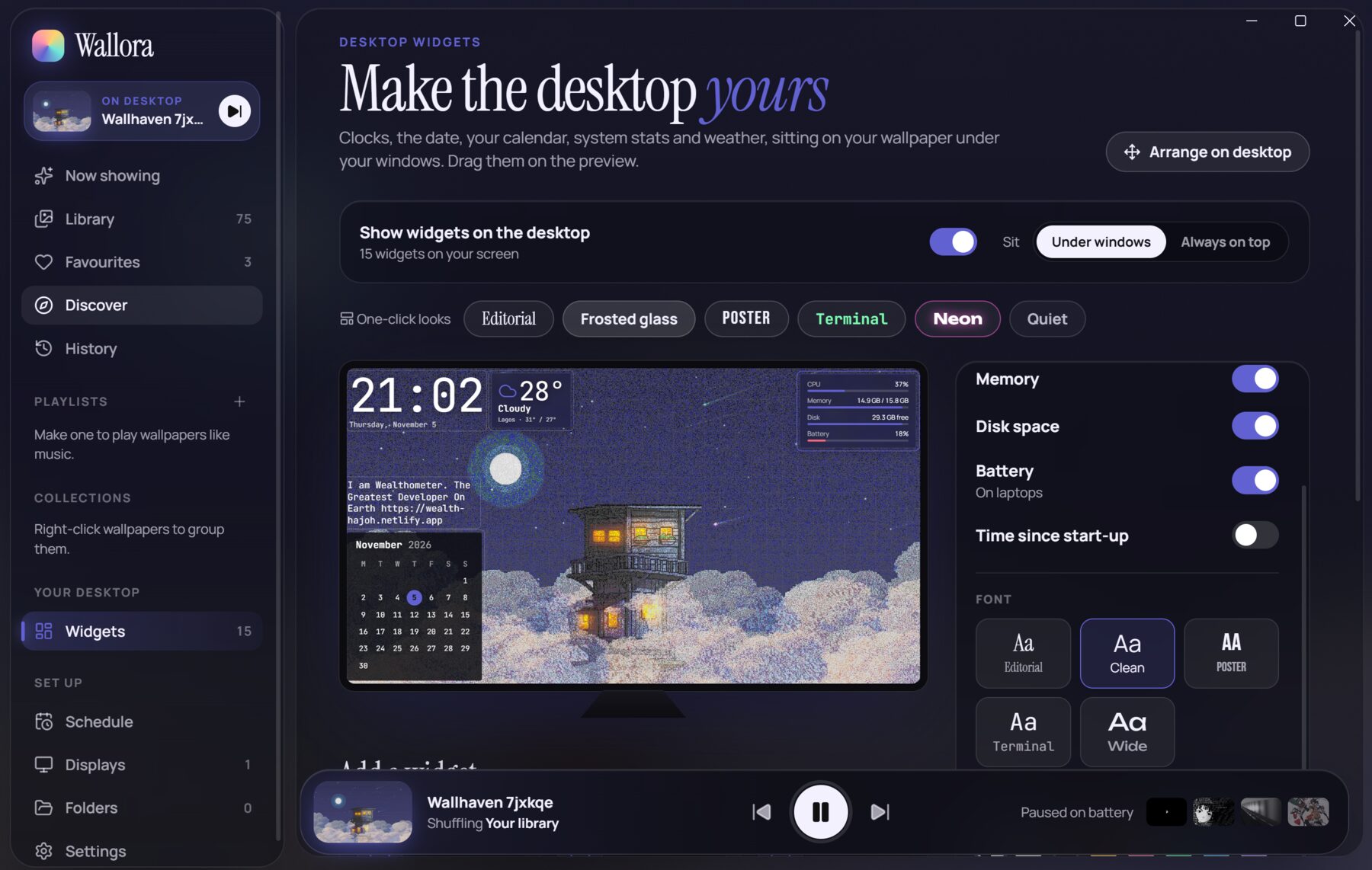
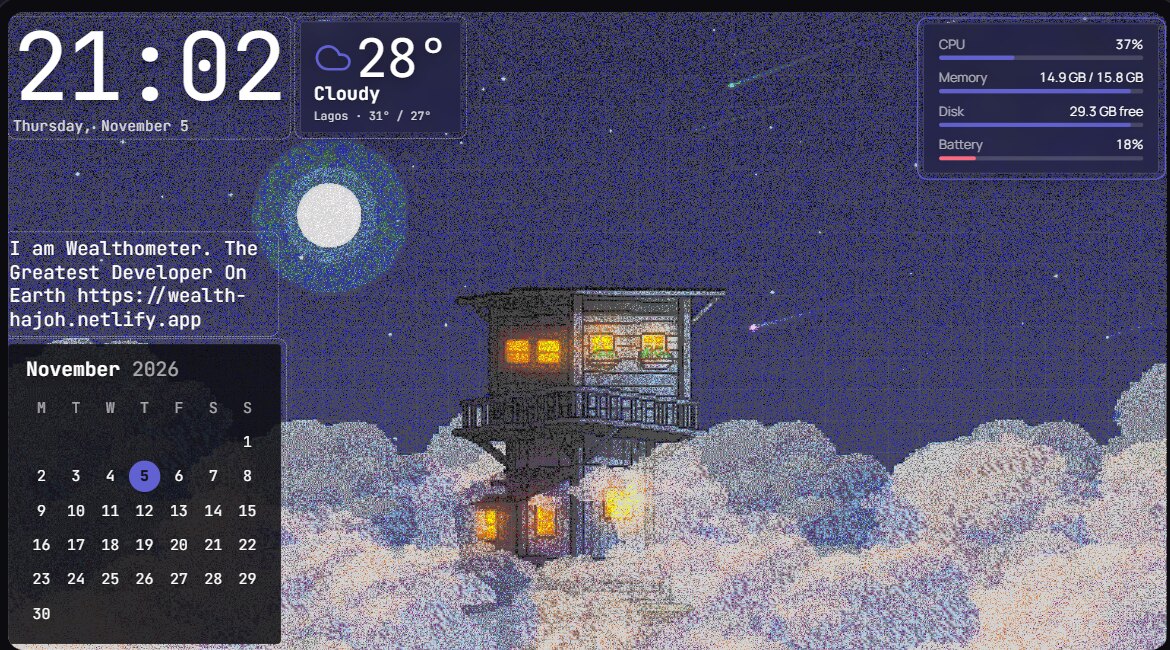
Wallora's widget editor: a pixel-art wallpaper with a clock, weather, calendar and system stats on it
Wallhaven 7jxkqe Shuffling Your library · next in 29 min

Your whole library, on rotation. A new wallpaper every few minutes, every hour, or once a day.

Windows10 & 11 · 64-bit
v1.1.0Now with desktop widgets
Every monitorIts own picture or playlist
FreeNo account, no ads
What it does

A music player, for your desktop.

Everything in Wallora works like the music app you already know: a library, playlists, a queue, a player bar. Only it's pictures.

Playlists

Shuffle, skip, repeat.

Group wallpapers into playlists, shuffle them, change every 30 minutes or once a day, and skip ahead from the tray.
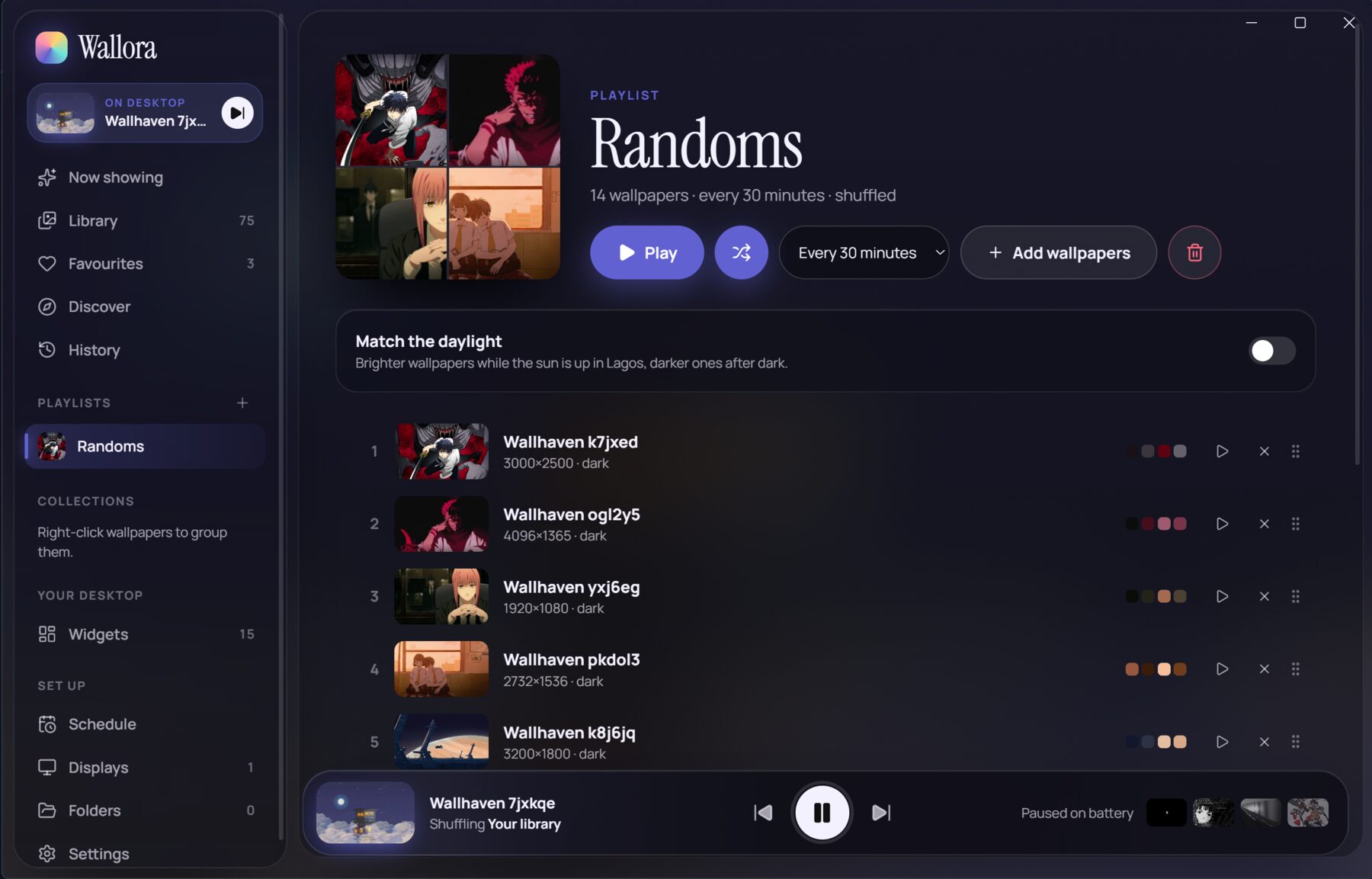
A playlist called Randoms with 14 wallpapers, changing every 30 minutes
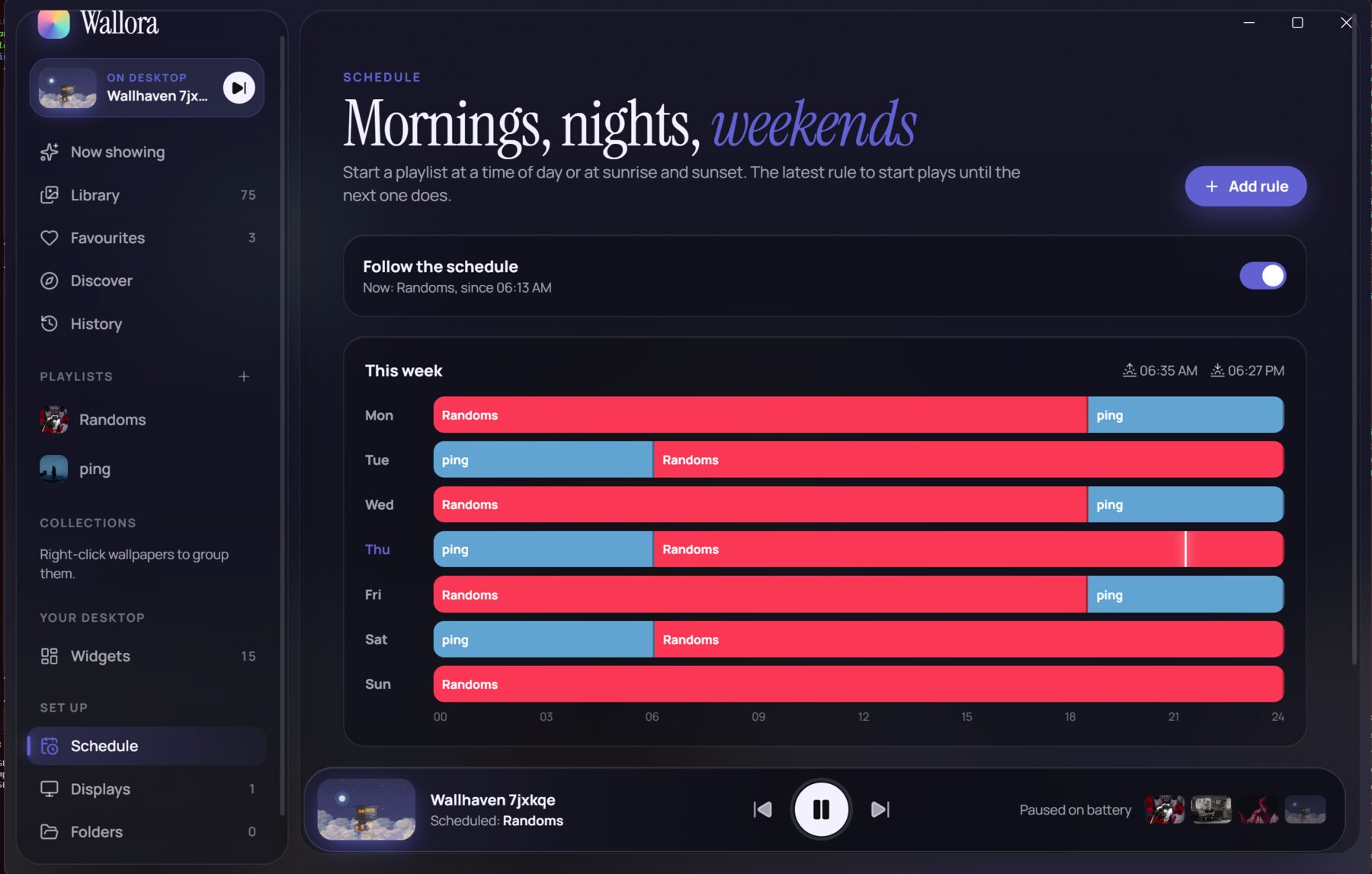
Schedule

Mornings, nights, weekends.

Start a playlist at a time of day, or at sunrise and sunset.

Mon
Randomsping
Tue
pingRandoms
Wed
Randomsping
Thu
pingRandoms
Fri
Randomsping
Sat
pingRandoms
Sun
Randoms
☀ 06:35☾ 18:27
Desktop widgets

Six looks, one click.

Clocks, the date, a calendar, weather and system stats, sitting on your wallpaper under your windows. Try a look:

21:02Thursday, November 5
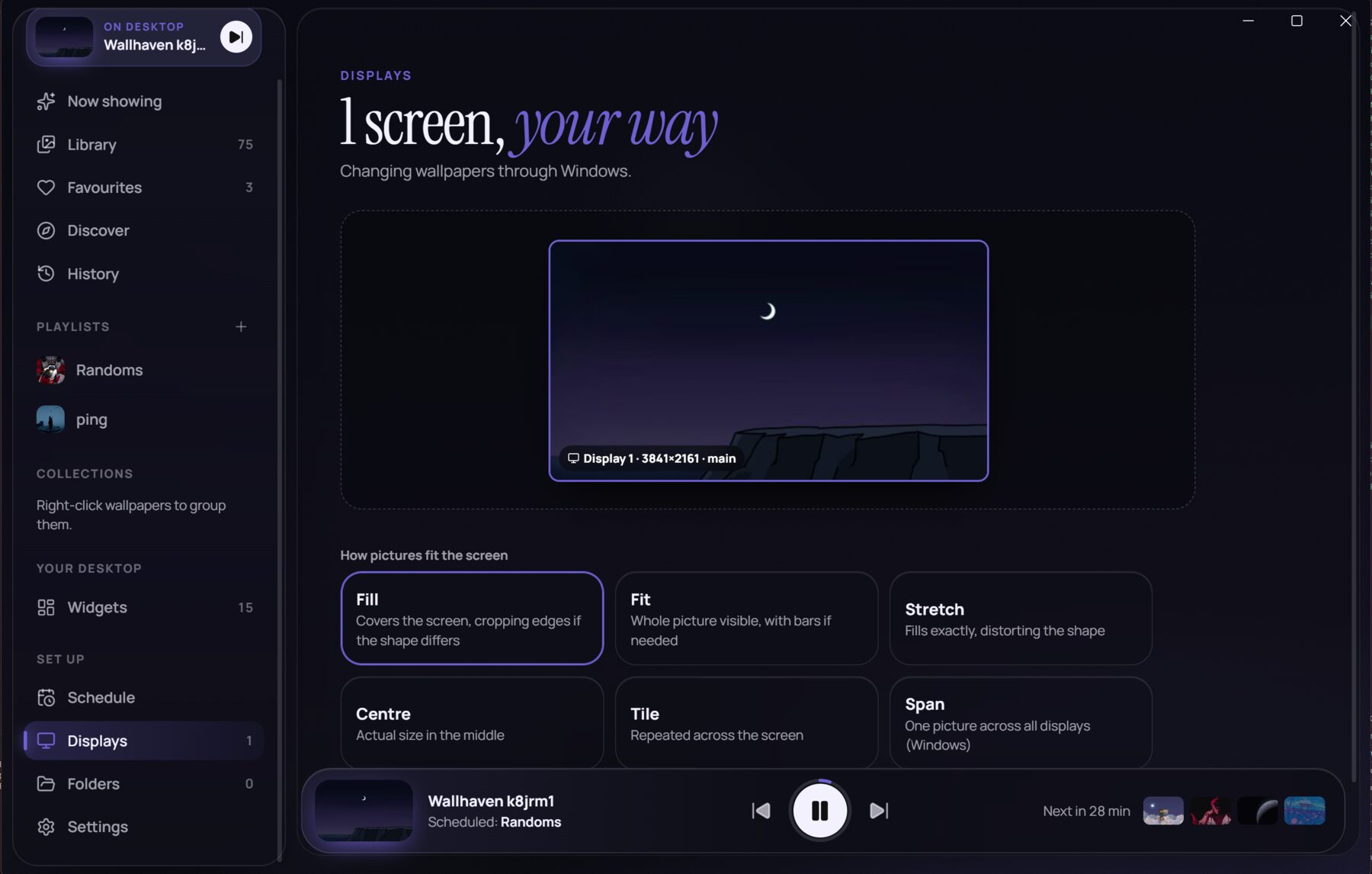
Displays

Every screen, your way.

Give each monitor its own picture or playlist, and choose how pictures fit. Try it:

Covers the screen, cropping edges if the shape differs
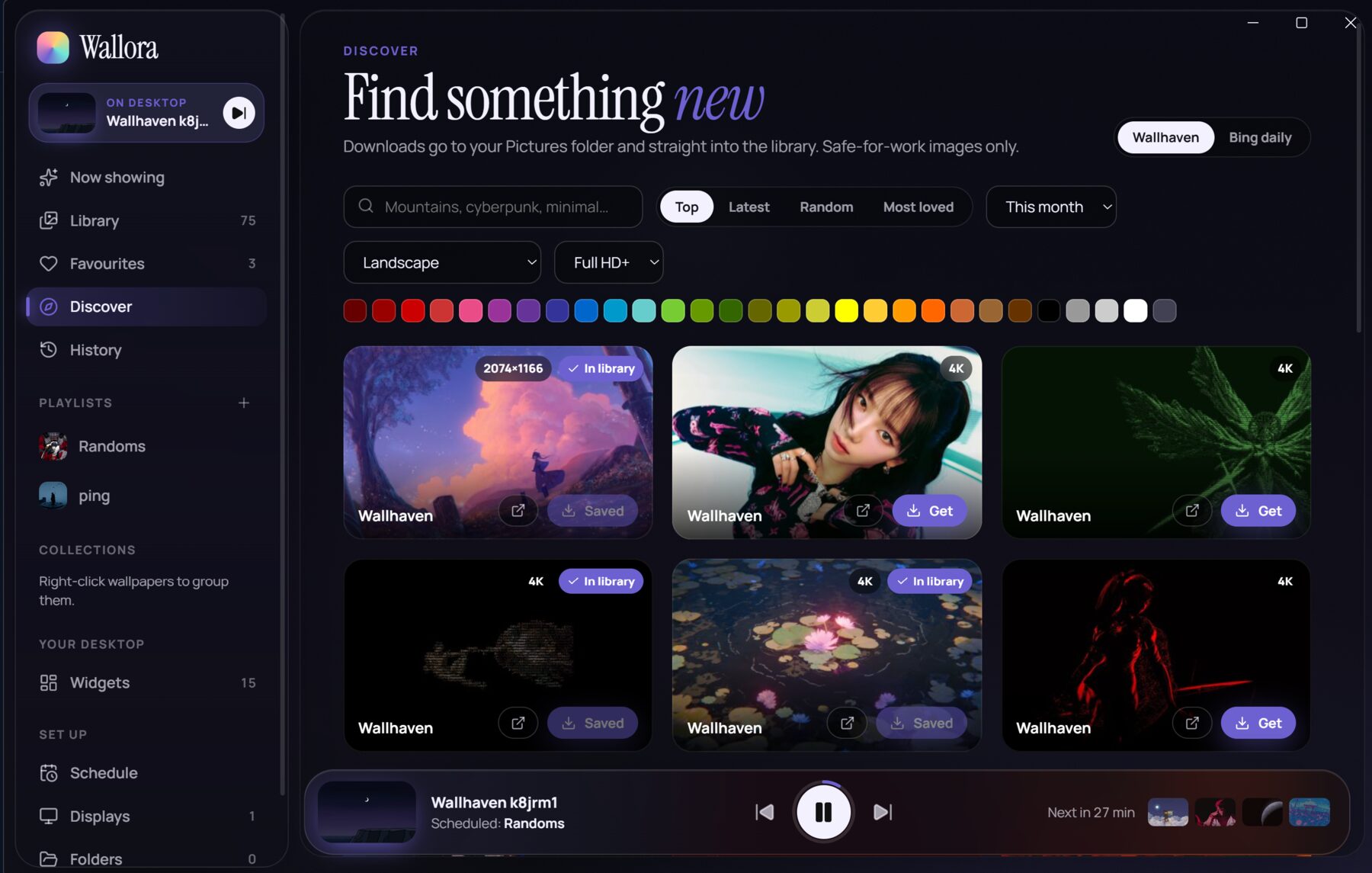
Discover

Find something new.

Search Wallhaven and Bing's picture of the day by keyword, resolution or colour. Downloads go straight into your library.

Thoughtful

Paused on battery.

Rotation pauses on a laptop running low, and picks up again when you plug in.
The tour

See it before you install it.

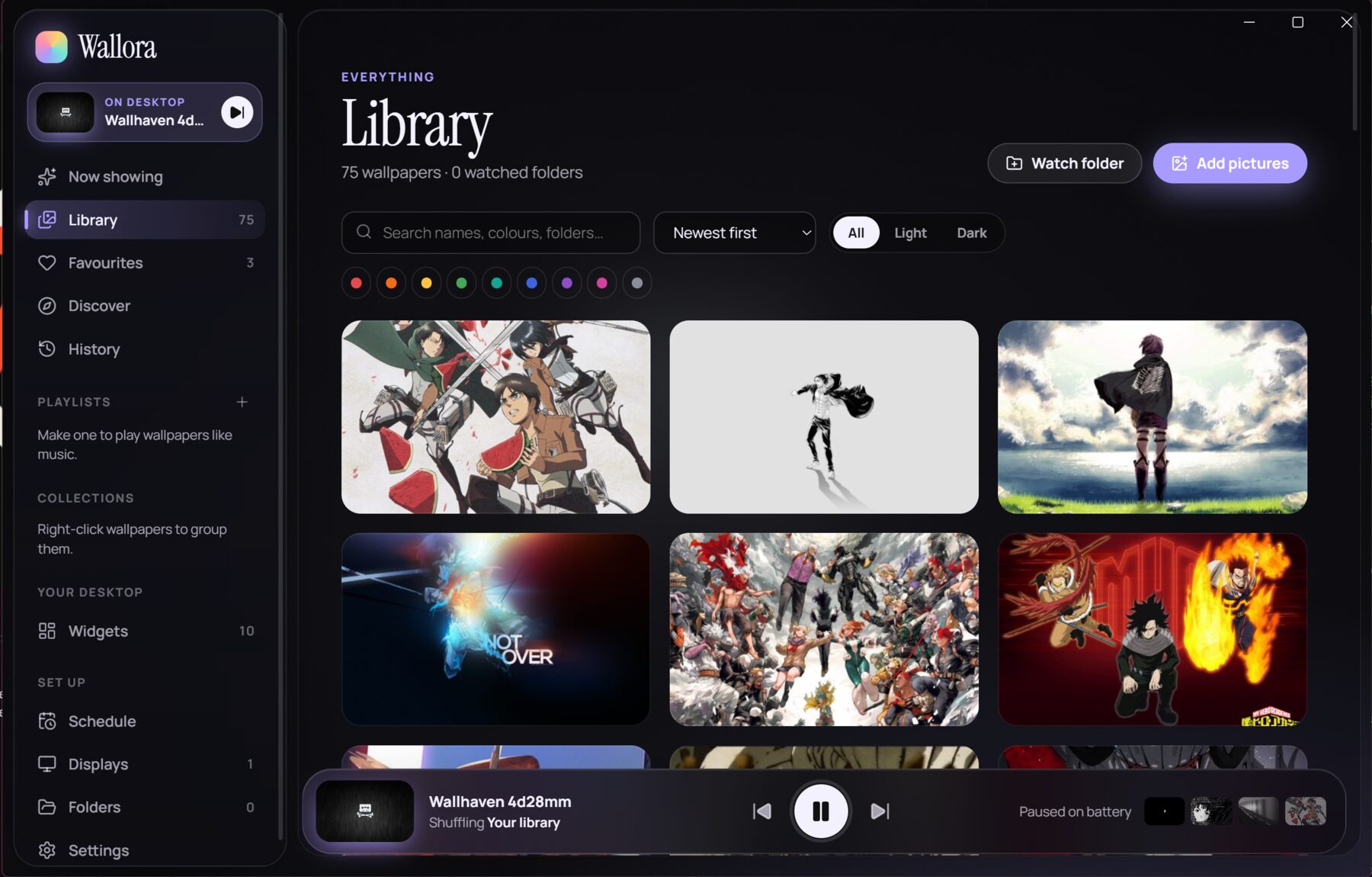
Desktop widgets: Make the desktop yours Library: 75 wallpapers, searchable by name and colour Playlist: Randoms, 14 wallpapers every 30 minutes Discover: find something new on Wallhaven Schedule: mornings, nights, weekends Displays: 1 screen, your way
Make the desktop yoursClocks, the date, your calendar, system stats and weather, right on your wallpaper.
Install

Up and running in a minute.

Wallora comes as a standard Windows installer. Here's the one extra click you'll need.

  1. Download the installerClick the button to get Wallora-1.1.0-x64.exe.
  2. Get past SmartScreenThe installer isn't code-signed yet, so Windows may say it “protected your PC”. Click More info, then Run anyway.
  3. Install and goFollow the installer. Wallora lands in your Start menu and tray, and you can pin it to the taskbar.

Let your desktop breathe.

Free, v1.1.0, 116 MB. For Windows 10 and 11.