
Scanner + QR code maker

Scan anything. Trust what you open.

Point your camera at any QR code or barcode and Scanly tells you what it is, where a link really goes, and what you can do with it. Then make beautiful codes of your own.

Android 8.0+ · Free · Installs outside the Play Store (here's how ↓)

AndroidAPK · v1.0.0
13 formatsQR, Data Matrix, EAN, UPC…
8 code typesLink, Wi-Fi, contact, more
PNG + SVGUp to 2048 px, or vector
What it does

More than a scanner.

QR and barcode scanner and QR code maker for Android. Link safety checks, Wi-Fi codes, styled QR codes, PNG and SVG export.

Links you can trust

Scanly shows where a link really goes, in big letters, and warns about lookalike letters, shorteners, bare IPs and unencrypted http.

Reads everything

QR, Data Matrix, Aztec, PDF417 and every common barcode. Scan from the camera, a screenshot, or type it.

Wi-Fi in a tap

Passwords stay hidden until you tap the eye, and one tap copies them.

Codes that look good

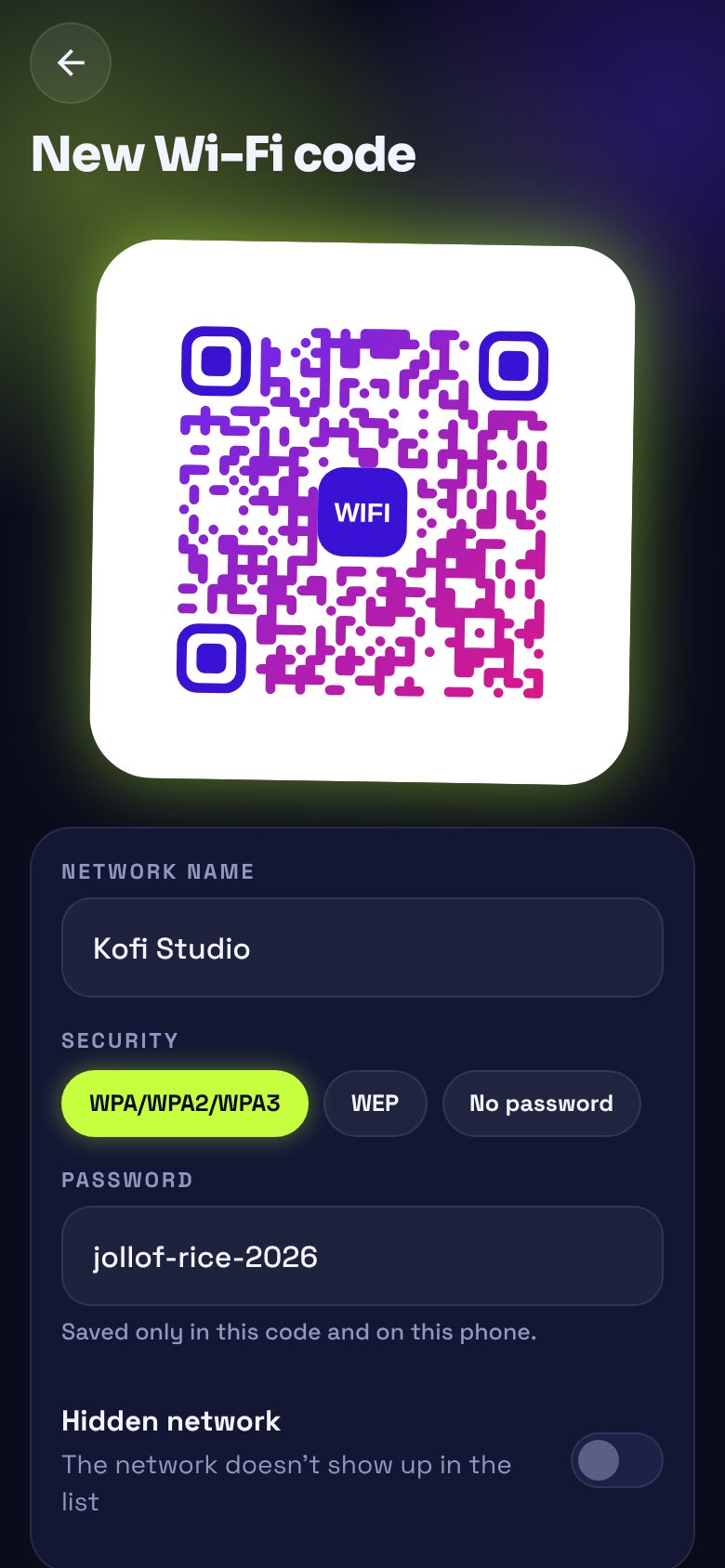
Seven themes, gradients, dot and corner shapes, and a centre badge like “WIFI” or “MENU”. They still scan.

Export for print

Save PNGs at 512 to 2048 px, or an SVG that's identical at any size.

History that's useful

Everything you scan or make, grouped by day, searchable, starred, and exportable as CSV.

Screenshots

See it before you install it.

Install

Up and running in a minute.

Scanly isn't on the Play Store yet, so you install the APK directly. It takes three taps.

  1. Download the APKTap the button on your Android phone. You'll get scanly.apk.
  2. Allow the installAndroid asks before installing apps from outside the Play Store. Tap Settings, allow your browser (or Files app) to install apps, then go back.
  3. Open and installOpen the file from your notifications or Downloads and tap Install. Play Protect may ask you to confirm: choose “Install anyway”. Then open Scanly.

Point. Scan. Know.

Scan any code. Know what you're opening. Free, v1.0.0, 125 MB.

border: 1px solid rgba(198, 255, 61, .3); font-weight: 700; font-size: 14.5px; animation: float 5s ease-in-out infinite } .chip-float .icon { color: #C6FF3D } .c1 { left: 0; top: 110px } .c2 { right: 0; bottom: 120px; animation-delay: -2.5s } .c2 .icon { color: #FF7A9A } @keyframes float { 50% { transform: translateY(-10px) } } @media(max-width:980px) { .q-hero { grid-template-columns: 1fr } } @media(max-width:600px) { .chip-float { display: none } }
Scanner + QR code maker

Scan anything. Trust what you open.

Point your camera at any QR code or barcode and Scanly tells you what it is, where a link really goes, and what you can do with it. Then make beautiful codes of your own.

Android 8.0+ · Free · Installs outside the Play Store (here's how ↓)

AndroidAPK · v1.0.0
13 formatsQR, Data Matrix, EAN, UPC…
8 code typesLink, Wi-Fi, contact, more
PNG + SVGUp to 2048 px, or vector
What it does

More than a scanner.

QR and barcode scanner and QR code maker for Android. Link safety checks, Wi-Fi codes, styled QR codes, PNG and SVG export.

Links you can trust

Scanly shows where a link really goes, in big letters, and warns about lookalike letters, shorteners, bare IPs and unencrypted http.

Reads everything

QR, Data Matrix, Aztec, PDF417 and every common barcode. Scan from the camera, a screenshot, or type it.

Wi-Fi in a tap

Passwords stay hidden until you tap the eye, and one tap copies them.

Codes that look good

Seven themes, gradients, dot and corner shapes, and a centre badge like “WIFI” or “MENU”. They still scan.

Export for print

Save PNGs at 512 to 2048 px, or an SVG that's identical at any size.

History that's useful

Everything you scan or make, grouped by day, searchable, starred, and exportable as CSV.

Screenshots

See it before you install it.

Install

Up and running in a minute.

Scanly isn't on the Play Store yet, so you install the APK directly. It takes three taps.

  1. Download the APKTap the button on your Android phone. You'll get scanly.apk.
  2. Allow the installAndroid asks before installing apps from outside the Play Store. Tap Settings, allow your browser (or Files app) to install apps, then go back.
  3. Open and installOpen the file from your notifications or Downloads and tap Install. Play Protect may ask you to confirm: choose “Install anyway”. Then open Scanly.

Point. Scan. Know.

Scan any code. Know what you're opening. Free, v1.0.0, 125 MB.

border: 1px solid rgba(198, 255, 61, .3); font-weight: 700; font-size: 14.5px; animation: float 5s ease-in-out infinite } .chip-float .icon { color: #C6FF3D } .c1 { left: 0; top: 110px } .c2 { right: 0; bottom: 120px; animation-delay: -2.5s } .c2 .icon { color: #FF7A9A } @keyframes float { 50% { transform: translateY(-10px) } } @media(max-width:980px) { .q-hero { grid-template-columns: 1fr } } @media(max-width:600px) { .chip-float { display: none } }
Scanner + QR code maker

Scan anything. Trust what you open.

Point your camera at any QR code or barcode and Scanly tells you what it is, where a link really goes, and what you can do with it. Then make beautiful codes of your own.

Android 8.0+ · Free · Installs outside the Play Store (here's how ↓)

AndroidAPK · v1.0.0
13 formatsQR, Data Matrix, EAN, UPC…
8 code typesLink, Wi-Fi, contact, more
PNG + SVGUp to 2048 px, or vector
What it does

More than a scanner.

QR and barcode scanner and QR code maker for Android. Link safety checks, Wi-Fi codes, styled QR codes, PNG and SVG export.

Links you can trust

Scanly shows where a link really goes, in big letters, and warns about lookalike letters, shorteners, bare IPs and unencrypted http.

Reads everything

QR, Data Matrix, Aztec, PDF417 and every common barcode. Scan from the camera, a screenshot, or type it.

Wi-Fi in a tap

Passwords stay hidden until you tap the eye, and one tap copies them.

Codes that look good

Seven themes, gradients, dot and corner shapes, and a centre badge like “WIFI” or “MENU”. They still scan.

Export for print

Save PNGs at 512 to 2048 px, or an SVG that's identical at any size.

History that's useful

Everything you scan or make, grouped by day, searchable, starred, and exportable as CSV.

Screenshots

See it before you install it.

Install

Up and running in a minute.

Scanly isn't on the Play Store yet, so you install the APK directly. It takes three taps.

  1. Download the APKTap the button on your Android phone. You'll get scanly.apk.
  2. Allow the installAndroid asks before installing apps from outside the Play Store. Tap Settings, allow your browser (or Files app) to install apps, then go back.
  3. Open and installOpen the file from your notifications or Downloads and tap Install. Play Protect may ask you to confirm: choose “Install anyway”. Then open Scanly.

Point. Scan. Know.

Scan any code. Know what you're opening. Free, v1.0.0, 125 MB.