 StockPilot
Scan to do anything
Point the camera at a barcode to find, sell or receive a product. A torch for dark shelves, and no double counts.
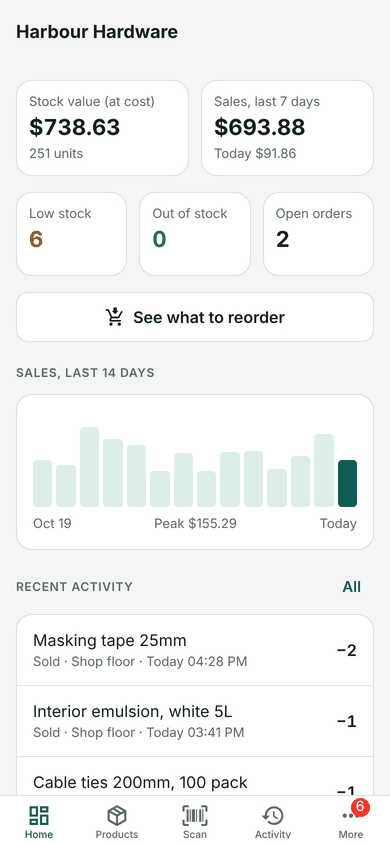
Scan a barcode to sell, receive or count. See what's running low and order it in a tap. Everything stays on your phone, and it works offline.
Android 8.0+ · Free · Installs outside the Play Store (here's how ↓)
Inventory for small shops on Android. Scan barcodes, sell and receive, count shelves, reorder from suppliers, see profit. Offline, no account.
Point the camera at a barcode to find, sell or receive a product. A torch for dark shelves, and no double counts.
Sell, receive, move between locations, write off, returns. Every change leaves a balance, so stock always adds up.
See what's running low and turn it into one purchase order per supplier, sent as a message.
Count a shelf or a whole location by scanning. Sales during the count aren't mistaken for losses.
Sales, profit and margin, best sellers, stock value by category, and what hasn't sold.
Undo a sale or delivery from the product's history. Back up and restore to a new phone.
StockPilot isn't on the Play Store yet, so you install the APK directly. It takes three taps.
Stock control for small shops, run from your phone. Free, v1.0.0, 118 MB.